Most parents who search for an AI story generator with pictures hit the same frustrating wall: the tool writes a nice story, then stops. No illustrations. No images. Just paragraphs of text that still need artwork before they become anything resembling a picture book.
The good news is that a handful of tools genuinely solve this problem — generating both the story text and matching illustrations in a single workflow. The tricky part is knowing which ones actually deliver and which ones are selling a feature they only half-built.
This guide reviews 7 tools across the full spectrum: purpose-built illustrated story makers, general AI platforms, and creative tools you can hack together into a workflow. For each, we cover how the illustration system actually works, what the image quality looks like, whether characters stay consistent across pages, how easy the whole thing is, and what it costs.
The Real Problem With Most "AI Story Generators"
Here is what typically happens when a parent searches for an AI picture book generator and picks the first result.
They type in a story idea. The AI generates a well-written, age-appropriate story. They feel hopeful. Then they look for the "add pictures" button and discover it does not exist. The platform was built for text. Illustrations are either a separate paid add-on, a third-party integration that requires technical knowledge to set up, or simply absent.
Even tools that do offer image generation often bolt it on as an afterthought. You get one cover image, or generic clip art thumbnails, or a single illustration that has nothing to do with any specific scene in the story.
A true illustrated story maker should do three things:
- Generate illustrations that match specific scenes in the story — not generic stock art
- Maintain visual consistency for the main characters across every illustration
- Produce everything in one place, without requiring you to switch between five different tools
Very few tools clear all three bars. Here is an honest look at the ones that come closest.
What to Look for in an AI Picture Book Generator
Before the reviews, a quick evaluation framework. When comparing illustrated story creators, the following criteria separate genuinely useful tools from impressive-sounding demos:
- Scene-matched illustrations — Does each image actually depict something that happens in that specific scene, or is it a loosely related piece of clip art?
- Character consistency — If your main character is a red-haired girl in a yellow raincoat, does she look the same on page 3 as on page 8?
- Art style selection — Can you choose a style that matches the mood of your story (soft watercolor for a gentle bedtime story vs. bold cartoon for an adventure)?
- Layout and formatting — Does the tool produce a readable, page-by-page layout, or do you still need to assemble the pieces in a design app?
- Ease of use — Can a parent with no design background get a finished result without a tutorial?
- Export options — Can you download something you can actually use — PDF, printable pages, shareable video?
- Pricing clarity — Is the cost per story clear before you commit?
With those criteria in mind, here are the 7 tools worth knowing about.
7 AI Story Generators With Pictures, Reviewed
1. StoryPix — Best Purpose-Built Illustrated Story Generator
StoryPix is the only tool on this list designed from the ground up to do exactly what the name implies: generate illustrated stories as a complete, finished product.
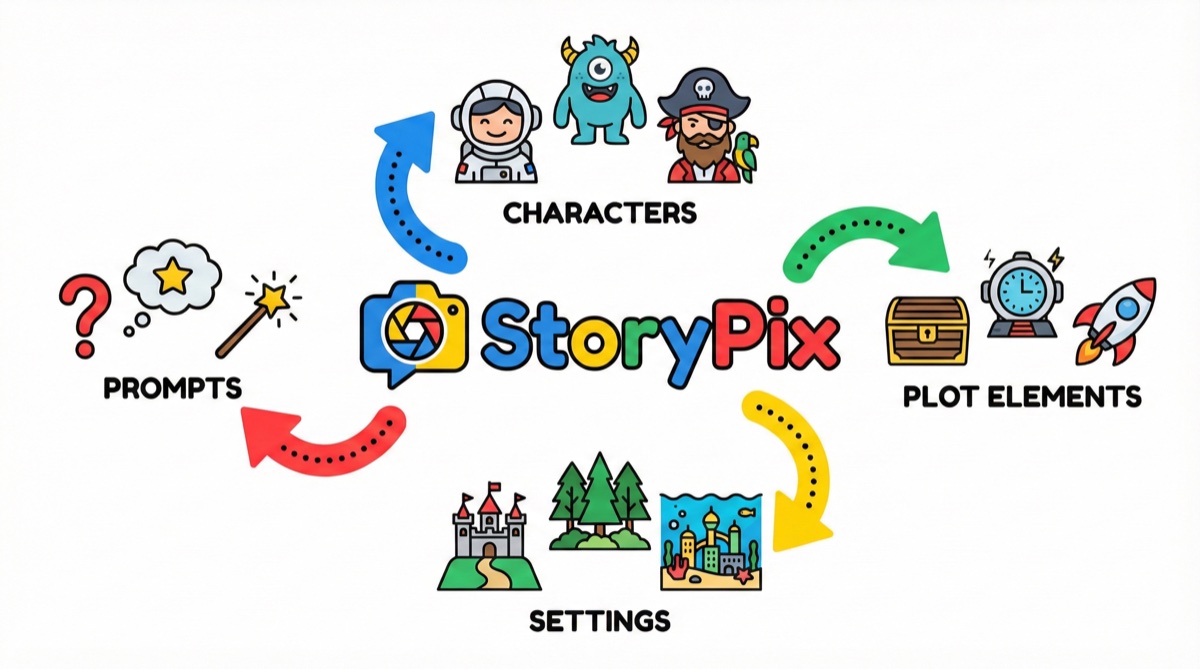
How illustrations work: After generating the story, StoryPix automatically creates a matched illustration for every page. The illustrations are scene-specific — if page 4 describes your daughter's character crossing a wooden bridge in a forest, the illustration depicts that exact moment, not a generic forest image. Each illustration is generated using Gemini Imagen 3, one of the most capable image generation models available.
Art styles: StoryPix offers 8 distinct art styles — including soft watercolor, bold cartoon, classic storybook, and painterly oil — so the visual tone matches the story's mood. You select the style once, and it applies consistently across every illustration in the book.
Character consistency: This is where StoryPix pulls ahead of nearly every competitor. You define your characters with detailed visual specifications at the start — hair color, clothing, personality details — and the system uses those specs to keep characters visually consistent across all illustrations. The child in a yellow raincoat on the cover is the same child in the yellow raincoat on the final page.
Ease of use: The interface is a guided creation flow. You fill in a story topic and preferences, and the system handles illustration, layout, and formatting. No design tools, no prompt engineering, no manual assembly. Most parents produce a finished storybook in 15 to 20 minutes.
Export options: PDF (printable), ePub (tablet-ready), narrated video with voiceover, and sharable online link.
Pricing: Free tier includes 300 one-time credits — enough for approximately one complete illustrated story to try the full workflow. Paid plans start at accessible monthly rates — see the full pricing breakdown.
Honest assessment: StoryPix is the best option for parents who want a genuinely complete illustrated storybook with minimal effort. The trade-off is that it is a focused tool — it does children's illustrated stories extremely well and does not try to be a general-purpose AI writing assistant.
💡 See what finished illustrated stories from StoryPix actually look like before you sign up. The [example gallery](/gallery) shows complete books across multiple art styles and story types.
2. ChatGPT + DALL-E — Most Widely Known, But Requires Manual Assembly
ChatGPT with DALL-E image generation is probably the combination most parents try first, simply because ChatGPT is familiar. The honest assessment: it can produce both story text and images, but calling it an "illustrated story generator" is a stretch.
How illustrations work: DALL-E is accessed through ChatGPT's image generation feature. You generate the story, then manually request images for specific scenes. Each image request is a separate interaction. There is no automated scene detection, no consistent layout, and no assembly into a finished book.
Character consistency: This is ChatGPT's most significant limitation for illustrated stories. DALL-E generates each image independently, with no persistent memory of what the character looked like before. Request an image of the same character in three different scenes and you will likely get three different-looking characters. Hair color, clothing, and facial features vary from image to image. For picture books where character identity matters to children, this is a serious problem.
Art style selection: You can describe a style in your prompt ("watercolor style," "children's book illustration"), but results are inconsistent. There is no structured style selection, and the same style prompt can produce very different results across multiple requests.
Ease of use: Using ChatGPT for illustrated stories requires meaningful prompt engineering skill. You need to know how to write prompts that produce consistent results, how to maintain context across a long conversation, and how to manually assemble the outputs. It is powerful in the hands of an experienced user, but has a real learning curve for most parents.
Export options: None natively. You save images individually and assemble them yourself in a design tool.
Pricing: ChatGPT Plus (which includes DALL-E access) is $20/month. You pay for the platform, not per story.
Honest assessment: If you are already a ChatGPT power user and enjoy the process of assembling things manually, this combination gives you creative control. For most parents who want a finished illustrated book, the lack of character consistency and the manual assembly requirement make this a frustrating path. For a detailed side-by-side, see our StoryPix vs. ChatGPT comparison.
3. Midjourney + Manual Assembly — Best Raw Image Quality, Hardest Workflow
Midjourney produces the most visually stunning AI-generated illustrations of any tool available today. If image quality is the single criterion that matters most to you, Midjourney images are genuinely breathtaking — richly detailed, with a depth and painterly quality that exceeds other AI image tools.
How illustrations work: Midjourney does not generate stories. It only generates images. To create an illustrated story, you write the story separately (in any text editor or AI writing tool), then create individual image prompts in Midjourney for each scene, then manually assemble the story text and images in a design tool like Canva, Adobe InDesign, or PowerPoint.
Character consistency: Midjourney has a "character reference" feature that helps maintain visual consistency, but it requires technical knowledge to use effectively. You create a reference image for your character, then include that reference in subsequent prompts. Results are better than ChatGPT+DALL-E but still not perfectly consistent — especially across very different scenes (close-up vs. wide shot, different lighting).
Art style selection: Exceptional. Midjourney's style system is extremely powerful, and experienced users can achieve virtually any visual aesthetic with the right prompting.
Ease of use: Midjourney is notoriously difficult for beginners. The interface is Discord-based, and effective use requires learning a substantial prompting vocabulary. Building an illustrated storybook using Midjourney is a multi-hour project for most users.
Export options: None. Images export as JPG/PNG files that you assemble manually.
Pricing: Starts at $10/month for the basic plan. Story creation time investment is significant.
Honest assessment: Midjourney is the right choice if you have design skills, love the creative process of crafting prompts, and want the highest possible image quality. It is the wrong choice if you want a finished illustrated story without significant technical investment.
4. Canva AI — Good for Design-Comfortable Parents, Limited Story Integration
Canva is a widely used design platform that has added substantial AI features, including an AI image generator and basic AI writing tools. It sits in an interesting middle ground: better design tools than most dedicated story platforms, but weaker story generation and no true scene-matched illustration.
How illustrations work: Canva's AI image generator (powered by Stable Diffusion) creates images based on text prompts. There is no story-to-illustration pipeline — you write your story (or use Canva's AI writing tool to draft one), then separately prompt for images and place them in your design. Canva's Magic Write feature can generate story text, but it is not specifically designed for children's picture books.
Character consistency: Limited. Like other tools that generate images independently, Canva does not maintain character appearance across multiple image generations. Each new image is created fresh.
Art style selection: Canva offers style presets for its AI image generator, and the quality is adequate for general use. It is not as flexible as Midjourney and not as purpose-built as StoryPix.
Ease of use: Canva's design interface is genuinely user-friendly, and parents who already use Canva for other projects will feel comfortable here. The limitation is that creating an illustrated storybook still requires meaningful manual effort — placing text, arranging images, formatting pages.
Export options: PDF, PNG, MP4 video (with animation). Canva's export options are actually quite strong.
Pricing: Canva free tier is usable; Canva Pro is $13/month and unlocks the AI features most useful for storybook creation.
Honest assessment: Canva is a strong choice for parents who already use it for other creative projects and want to incorporate a story into an existing design workflow. It is not a dedicated illustrated story generator, and it shows in the extra effort required.
5. Storybird — Built for Stories, Limited Illustration Control
Storybird was one of the earliest online platforms built around illustrated storytelling, originally focusing on human-created artwork with user-written stories. It has since added AI features, though the platform has shifted focus several times over the years.
How illustrations work: Storybird's AI features have varied across platform versions. The current offering includes AI-assisted story writing and curated illustration options. The illustration system is less tightly integrated than platforms like StoryPix — you often select from a library of pre-created art rather than generating scene-specific illustrations.
Character consistency: Moderate, because illustrations come from curated art sets that maintain a consistent style within each set. The trade-off is less control over what the characters specifically look like.
Art style selection: Limited to the available art libraries, which are curated but not customizable.
Ease of use: Storybird is designed to be accessible, and it largely succeeds. The interface is clear, and the guided process makes sense for non-technical users.
Export options: Limited. Printing options have varied by plan and availability.
Pricing: Has historically offered a free tier with paid upgrades. Check current pricing directly, as the platform has changed plans multiple times.
Honest assessment: Storybird has a long history in the children's story space and a genuine focus on the craft of storytelling. However, the AI integration is less complete than dedicated AI-first platforms, and the illustration system gives up some of the scene-specific matching that makes AI picture books feel truly personalized.
6. NovelAI — Powerful for Fiction Writers, Not Optimized for Children's Books
NovelAI is a sophisticated AI writing and image generation platform with a strong following among creative fiction writers. It offers both advanced story generation and an integrated image generator.
How illustrations work: NovelAI includes an image generation feature (Anime Art Engine) that can be used alongside its story writing tools. However, the image model is heavily optimized for anime-style art, which is not always appropriate for children's picture books aimed at younger audiences. Scene-specific illustration generation requires manual prompting.
Character consistency: NovelAI has developed some features for character consistency, primarily targeted at manga/anime-style content. The results depend heavily on the user's prompting skill.
Art style selection: Excellent within its niche — anime and illustrated manga styles. Limited outside of that aesthetic.
Ease of use: NovelAI has a steeper learning curve than parent-friendly platforms. It is designed for experienced creative writers who want precise control, not for busy parents who want a quick result.
Export options: Text export and image downloads. No built-in book formatting.
Pricing: Starts at $10/month.
Honest assessment: NovelAI is excellent software for its intended audience — creative fiction writers, particularly those who love anime aesthetics. It is not designed for parents creating children's picture books, and it shows in the workflow and available art styles.
7. Sudowrite — Strong Story Writing, Images Are Secondary
Sudowrite is a highly regarded AI writing assistant built specifically for fiction writers. Its story generation capabilities are genuinely impressive, and it is one of the better tools for producing high-quality narrative text quickly.
How illustrations work: Sudowrite's primary focus is text. It has added some image generation capabilities, but illustrations are clearly secondary to the writing tools. There is no automated story-to-illustration pipeline, and the image generation is not optimized for children's picture book aesthetics.
Character consistency: Not a core feature. Sudowrite's consistency tools are focused on narrative consistency (plot, character voice, continuity) rather than visual character appearance.
Art style selection: Limited. Image generation in Sudowrite is not the platform's strength.
Ease of use: Very good for writers who want assistance with the writing process. Less useful for parents looking for a finished illustrated storybook.
Export options: Text-focused exports. No native illustrated book output.
Pricing: Starts at $29/month.
Honest assessment: Sudowrite is one of the best AI writing assistants available, but it is not an illustrated story creator. If you love writing and want an AI co-writer to help craft the story text — and plan to source illustrations separately — Sudowrite is worth considering. For most parents, it is the wrong tool for this job.
Quick Comparison Table
| Tool | Scene-Matched Illustrations | Character Consistency | Art Style Control | Ease of Use | Price |
|---|---|---|---|---|---|
| StoryPix | Yes, every page | Strong (visual specs) | 8 styles | Very easy | Free tier + paid plans |
| ChatGPT + DALL-E | Manual only | Poor | Prompt-dependent | Moderate | $20/month |
| Midjourney | Manual only | Moderate (char ref) | Exceptional | Hard | From $10/month |
| Canva AI | Manual only | Poor | Moderate | Moderate | Free + $13/month |
| Storybird | Partial (curated art) | Moderate | Limited | Easy | Varies |
| NovelAI | Manual only | Moderate (anime focus) | Anime-focused | Hard | From $10/month |
| Sudowrite | No | N/A | Minimal | Easy (for writing) | From $29/month |
ℹ️ "Scene-matched illustrations" means the tool automatically generates images depicting specific events in each scene of the story — not just generic themed images. This distinction matters enormously for illustrated picture books where children follow a visual narrative across pages.
The Verdict: Which Tool to Use Based on Your Situation
The right tool depends on what you are actually trying to accomplish.
If you want a finished illustrated children's book with minimal effort: StoryPix is the clear choice. It is the only tool on this list that handles the complete pipeline — story generation, per-page scene illustration, consistent character visuals, page layout, and export — in a single guided workflow. For parents who want to create a beautiful illustrated story for their child without becoming a prompt engineer or designer, nothing else comes close. Start with the free tier and generate your first story today.
If you already use ChatGPT daily and want to add illustrations: The ChatGPT + DALL-E approach can work, but go in with realistic expectations about character consistency. Read our detailed ChatGPT comparison to understand exactly what you are trading off.
If image quality is your top priority and you have design skills: Midjourney produces the most stunning illustrations available from any AI tool. If you enjoy the craft of prompt engineering and do not mind assembling the final book manually, the visual results are worth the effort.
If you already use Canva for other projects: Canva AI gives you familiar tools you already know. The illustrated story workflow requires more manual effort than a dedicated platform, but if you are already in Canva regularly, the learning curve is low.
If you are primarily a writer who wants AI writing assistance: Sudowrite is outstanding for the writing process itself. Pair it with a dedicated illustration tool if you want a fully illustrated result.
Frequently Asked Questions
Can AI really generate illustrations that match specific story scenes?
Yes — but only with tools specifically designed for scene-matched illustration. Tools like StoryPix analyze the story content and generate images that depict the actual events of each scene. General-purpose AI image tools (DALL-E, Midjourney) require you to manually write prompts for each image and do not automatically connect to the story text.
How does character consistency work in AI illustrated stories?
Character consistency is one of the hardest problems in AI image generation. Tools solve it in different ways: StoryPix uses detailed character specification sheets that inform every illustration; Midjourney offers a character reference feature; most other tools do not have a dedicated consistency mechanism. If your child will notice that their character "looks different" on different pages — and most children will — character consistency should be a primary evaluation criterion.
What art styles are available for AI picture books?
This varies significantly by tool. StoryPix offers 8 curated art styles specifically designed for children's storybooks (watercolor, cartoon, classic storybook, painterly, and more). Midjourney can approximate almost any style with the right prompting but requires expertise. Most other tools offer limited style control.
Is an AI story generator with pictures safe for children?
Purpose-built children's story platforms like StoryPix include content filtering designed to keep generated stories and illustrations age-appropriate. General-purpose AI tools like ChatGPT and Midjourney have safety filters, but they are not specifically calibrated for children's content. Using a purpose-built platform adds an extra layer of assurance for parents.
Can AI illustrated stories be printed as physical books?
Yes. StoryPix exports as a print-ready PDF. Canva also produces print-ready PDFs. Midjourney-generated images can be assembled into a print file using a design tool. The key is resolution — ensure any images you plan to print are generated at sufficient resolution (typically 300 DPI for print quality).
How much does it cost to generate an AI illustrated story with pictures?
Costs vary widely. StoryPix offers a free tier with 300 one-time credits — enough to create one complete illustrated story and try the full workflow. ChatGPT Plus costs $20/month. Midjourney starts at $10/month. The total cost for a dedicated illustrated story platform is typically lower than assembling a workflow from multiple general-purpose tools when you factor in the time saved. See the StoryPix pricing page for current details.
The Bottom Line
Most tools that call themselves "AI story generators" are text generators that happen to mention images in their marketing. A genuine AI story generator with pictures needs to do more than write words: it needs to generate illustrations that match specific story scenes, keep characters visually consistent across pages, and produce a result that is actually readable as a book — not a pile of disconnected files.
Of the 7 tools reviewed here, StoryPix is the only one that hits all three marks in a single, parent-friendly workflow. Midjourney produces more stunning individual images, but demands significant technical effort. ChatGPT + DALL-E is widely accessible but fails on character consistency. The others occupy narrower niches.
For a parent who wants to sit down on a Tuesday evening and produce a finished illustrated storybook their child will actually treasure — without becoming a prompt engineer — the choice is clear.
Create your first illustrated story free on StoryPix and see the difference a purpose-built tool makes.
For more on how these tools compare, see our full AI story generators for kids comparison. For a step-by-step walkthrough of creating your first illustrated book, the personalized children's book tutorial covers the entire process from idea to finished export.
Related Reading:
- AI Bedtime Story Generator Guide — building a sustainable nightly story routine with AI
- Best AI Tools for Bilingual Children's Stories — illustration consistency across languages
- Free vs Paid AI Story Generators — what you get at each price point
- AI Story Generator: The Complete Parent's Guide — the full StoryPix workflow explained