You have a story idea in your head. Maybe it is your daughter's name combined with her obsession with foxes, or a bedtime adventure set in the same backyard your son plays in every afternoon. A year ago, turning that idea into a real illustrated storybook — with pictures on every page — would have meant hiring an illustrator, spending thousands of dollars, and waiting months. Today, an AI storybook generator can take that same idea and produce a complete, illustrated, narrated children's book in about fifteen minutes.
This guide explains exactly how AI storybook generators work, what separates the good ones from the generic ones, and how to use StoryPix to create a finished storybook your child will actually want to read again and again.
What Is an AI Storybook Generator?
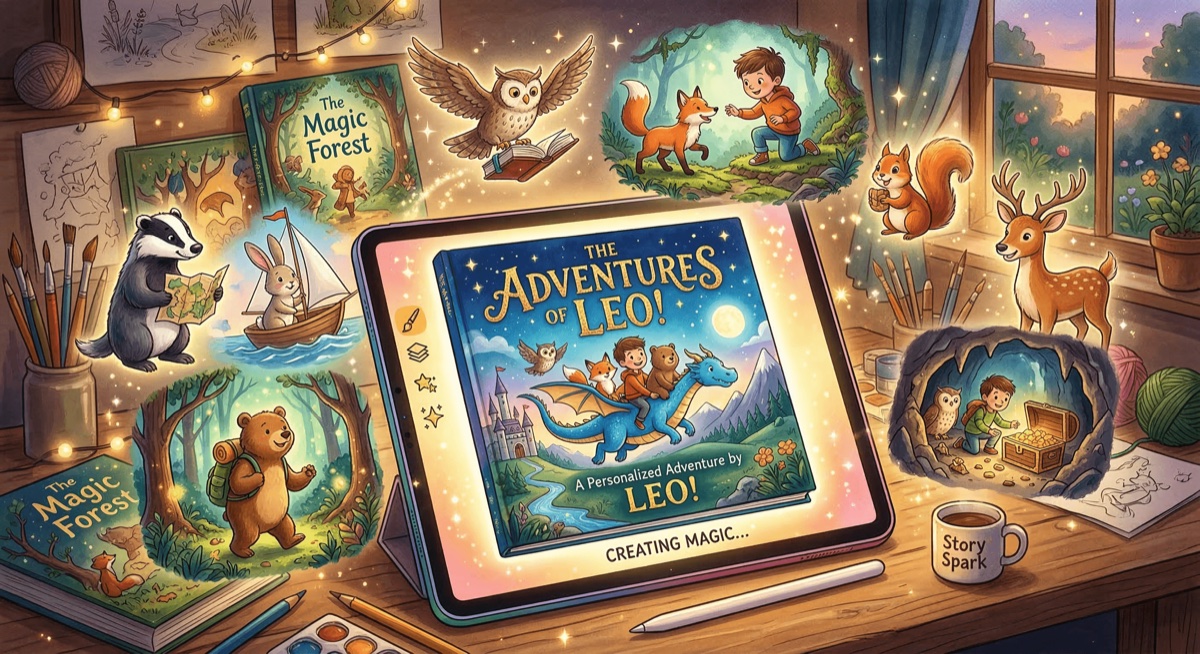
An AI storybook generator is software that combines large language models (for writing the story text) with image generation AI (for creating illustrations) to produce a complete illustrated children's book from a simple input — usually a topic, a character idea, and a few style preferences.
The best AI storybook generators do not just produce a block of text and a few random images. They work as a complete production pipeline: the story is written, broken into pages, illustrated scene by scene, laid out with the text and images together, and exported as a finished file you can print, read on a device, or share as a video.
This is a genuinely new category. Before AI, creating an illustrated storybook from scratch required:
- A writer to draft the story
- An illustrator to create matching artwork for every scene
- A designer to lay out the pages
- A printer or publisher to produce the finished book
The AI storybook generator compresses all four of those roles into a single guided process that any parent can complete in an afternoon — with results that look professional.
If you want to understand the broader AI story generation landscape first, the complete AI story generator guide covers the underlying technology in more depth.
How AI Storybook Generators Work
Understanding the process helps you get better results. Here is what happens under the hood when you create a story with a modern AI storybook generator.
Story Generation
The text side of an AI storybook generator is powered by a large language model — the same family of AI technology that drives tools like Claude and ChatGPT. You provide a premise, and the AI produces age-appropriate prose, divided into the right number of pages, with the right vocabulary level for your chosen age group.
Good AI storybook generators go further than raw text generation. They structure the story with a proper narrative arc — an introduction, a rising conflict, a climax, and a resolution — because that structure is what makes a story satisfying to listen to, especially for children.
Illustration Generation
This is where AI storybook generators diverge most sharply in quality. The image generation is powered by models like Imagen, DALL-E, or Stable Diffusion. The challenge is not generating a single good image — it is generating a series of images that look like they belong in the same book, featuring the same characters, in a consistent art style.
Purpose-built AI picture book generators solve this with character specification systems: you define your characters visually (hair color, clothing, body type, accessories), and the AI uses those specs as a reference for every illustration it generates. The result is a book where the protagonist looks like the same character on page one and page twelve.
Generic AI tools — using ChatGPT or Midjourney alone — produce inconsistent results because each image is generated without reference to the others.
The Complete Workflow
A full AI storybook generator workflow typically looks like this:
- You input a story premise and choose settings (language, age group, art style, length)
- The AI generates a story outline with character suggestions
- You design characters with visual specifications
- The AI writes the full story text, divided into pages
- Illustrations are generated for each page using your character specs
- You add voiceover narration (optional)
- You export as PDF, ePub, or video
The AI story generator with pictures article goes deeper on the illustration generation side if you want to understand how the image technology works.
Key Features to Look for in an AI Storybook Generator
Not all AI storybook makers are equal. Here are the features that separate a genuinely useful tool from one that will frustrate you.
Consistent Character Art
This is the most important feature. Any AI can generate a single illustration. What makes an illustrated storybook work is consistency — your character needs to look like the same character throughout the book. Look for tools that use a structured character design system, not just a prompt fed to an image generator each time.
Age-Appropriate Content Controls
A good AI storybook generator knows the difference between a story for a three-year-old and a story for a ten-year-old — not just in vocabulary, but in narrative complexity, emotional themes, and illustration style. Look for tools with dedicated age-group settings, not just a free-text prompt where you have to guess the right phrasing.
Multiple Art Styles
The art style is as important as the story itself. A crayon or cartoon style works for a lighthearted adventure. Watercolor creates a magical, classic storybook feel. Anime suits older children who love that aesthetic. Having eight or more distinct styles — and the ability to preview them before committing — matters.
Export Options That Match How You Will Use the Book
A PDF is not the same as a video, and a video is not the same as an ePub for a Kindle. Think about where and how your child will experience the story. Printing calls for a high-resolution PDF with bleed margins. Bedtime on a tablet calls for an ePub or video. Sharing with grandparents calls for a shareable video link. The best AI storybook generators support all of these.
Language and Translation Support
For bilingual families, this is essential. Being able to create a story in Chinese or Spanish — not translate it afterward using a generic tool — produces much better results. And the ability to create multiple language versions of the same story is a genuinely powerful feature for heritage language learning.
Voiceover Narration
A narrated storybook is something special, especially for children who cannot yet read independently. High-quality text-to-speech with multiple voice options, including character-specific voices for dialogue, transforms the reading experience.
The best AI story generators for kids article gives a full comparison of how different platforms handle these features.
Creating Your First AI Storybook with StoryPix: A 7-Step Walkthrough
StoryPix is a purpose-built AI storybook generator designed specifically for illustrated children's books. Unlike general-purpose AI tools, every feature exists to move you from a simple idea to a finished, exportable storybook. Here is exactly how the process works.
Step 1: Set Your Story Parameters
Start by choosing the building blocks of your story. In StoryPix, this means selecting:
- Language: English, Chinese (Simplified or Traditional), Japanese, Korean, Spanish, or French — the entire story is written natively in your chosen language, not translated after the fact
- Theme: Adventure, Fairy Tale, Educational, Friendship, or a custom theme you describe in your own words (up to 200 characters)
- Age group: 3-5 (simple vocabulary, short sentences, big pictures), 6-8 (balanced text and illustrations), or 9-12 (richer plots, more descriptive language)
- Story length: 4, 8, or 12 pages — or any custom count from 1 to 24
- Art style: 8 distinct styles — Cartoon, Watercolor, Flat, Hand-drawn, Anime, Storybook, 3D, or Crayon
💡 For your first story, choose 8 pages and Watercolor or Cartoon art style. These settings produce reliably strong results and give you enough pages to experience the full workflow without a large credit cost. Browse the [StoryPix gallery](/gallery) to see finished examples in every style before you decide.
Step 2: Choose a Story Concept
After you set your parameters, StoryPix's AI Story Idea Generator creates three unique story concepts tailored to your choices. Each concept includes a working title, a story premise, character suggestions, the emotional tone, and key scene ideas.
You can pick the concept that resonates, edit the outline to make it your own, or skip the generator entirely and type your own premise. For stories of 12+ pages, the AI generates a full scene-by-scene breakdown so you can see exactly how the plot unfolds before writing begins.
Step 3: Design Your Characters
StoryPix automatically generates characters based on your story concept, each with detailed visual specifications: species or physical appearance, body type, skin tone, facial features, hairstyle, clothing, accessories, and signature color palette.
This is the feature that makes character consistency possible. The visual specs are used as a reference for every illustration generated in your story, so the protagonist genuinely looks like the same character from cover to cover.
You can change any detail to match a real child — give the hero your son's name and curly hair and the red sneakers he refuses to stop wearing — and save characters to your library to bring them back in future stories.
Step 4: Generate the Story Text
With your outline and characters confirmed, StoryPix writes the full story in real time. You watch the text stream in live. The AI applies everything you defined: language, age group, tone, character personalities, and the structure from your outline.
The finished text is automatically divided across your chosen number of pages, with each segment sized to sit naturally alongside an illustration. You can edit any page of text directly, regenerate a single page if one section does not land right, or regenerate the entire story. The AI also supports a Dialogue Mode where character conversations are written naturally and tagged by speaker.
Step 5: Generate Illustrations
Every page gets its own AI-generated illustration, created with your character visual specs as a consistent reference. Before generating, you choose:
- Resolution: 1K (economical), 2K (recommended default), or 4K (high-definition print quality)
- Aspect ratio: Portrait (3:4), landscape (4:3), square (1:1), widescreen (16:9), vertical (9:16), and more
You can generate all illustrations at once or go page by page, regenerating any image you are not happy with without affecting the others.
| Feature | StoryPix | ChatGPT + DALL-E | Canva AI |
|---|---|---|---|
| Illustration workflow | Integrated, per-page | Manual, separate tool | Manual assembly |
| Character consistency | Visual spec system | None | None |
| Art style options | 8 curated styles | Prompt-dependent | Generic image gen |
| Resolution choices | 1K / 2K / 4K | Fixed | Fixed |
| Per-page regeneration | Yes | Yes (but isolated) | Yes (but isolated) |
Step 6: Add Voiceover Narration
StoryPix offers four professional text-to-speech engines with more than 60 voices across multiple languages. For stories with character dialogue, you can assign a different voice to each character — so the book sounds like a cast performance rather than a single narrator reading all the parts.
The AI automatically recommends the best voice for each character based on their age, gender, and the story's language. For Chinese, Japanese, and Korean narration, a specialist Asian-language engine delivers noticeably better pronunciation and natural rhythm than general-purpose voice engines.
Advanced options include Voice Clone (recreate a voice from an audio sample) and Voice Design (generate a brand-new voice from a text description).
Step 7: Export in Your Preferred Format
StoryPix supports multiple export formats:
- PDF — three layout options: Storybook (full-page illustrations with text overlay), Text-below (illustration and text on facing pages), or Side-by-side (image left, text right). Every PDF includes a cover page, back cover, and auto-generated table of contents.
- ePub — formatted for e-readers including Kindle, with responsive text sizing
- Video (MP4) — a narrated video with your illustrations, voiceover audio, and optional subtitles. Available in landscape (16:9), vertical (9:16 for phones), or square (1:1) aspect ratios
- Image pack (ZIP) — all full-resolution illustrations as individual files
Create Your First Illustrated Storybook — Free
Get 300 free credits with no credit card required. Go from story idea to illustrated, narrated storybook in 15 minutes.
Start Creating FreeAI Storybook Generator Use Cases: What Parents Actually Create
AI storybook generators are versatile in ways that are not immediately obvious. Here are the real use cases parents come back to most often.
Bedtime Stories Tailored to Your Child
The classic use case: a story starring your child, featuring their name, their favorite animal, and the specific lesson they happen to be working through right now. A story about a girl named Mia who learns that being patient has rewards hits differently than a generic patience story when Mia is the name your daughter answers to at dinner.
The AI story generator for bedtime stories article explores this use case in depth, including specific prompting strategies for different ages.
Educational Stories That Reinforce What Kids Are Learning
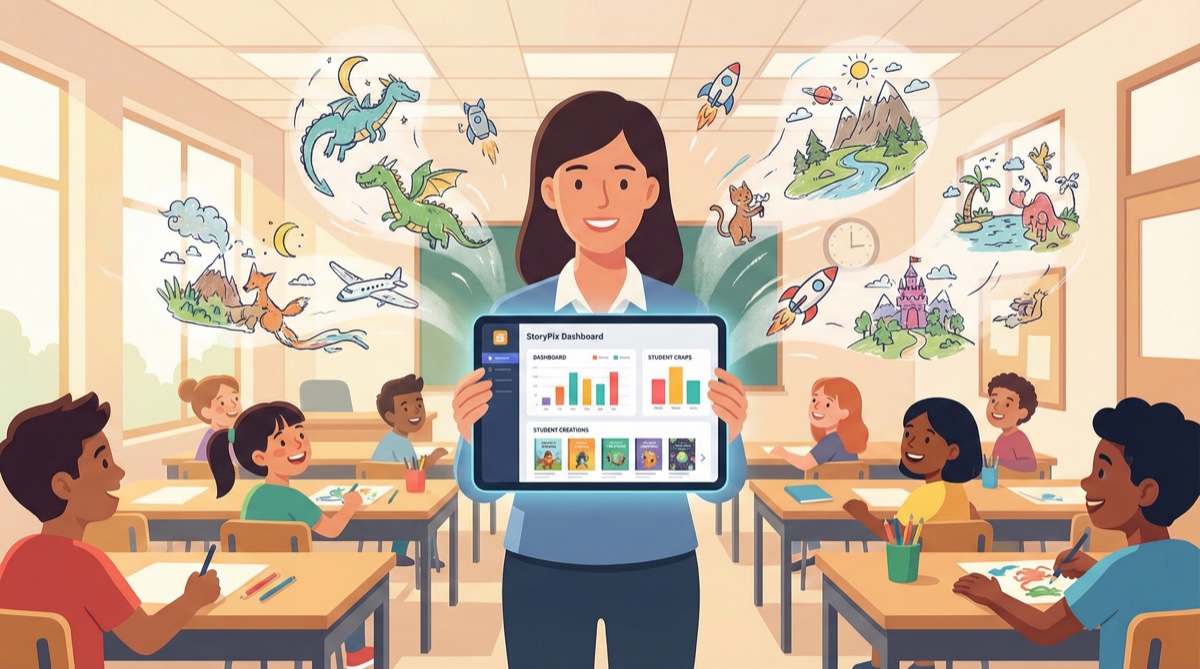
Parents and teachers use AI storybook generators to create stories that support what children are learning at school — a story about a character who explores fractions, or a tale that introduces the water cycle through a cloud's perspective. The advantage over a generic educational book is that you can tie the learning to familiar characters, settings, and contexts your child already cares about.
For classroom use, the AI storybook maker for teachers guide covers how educators are using these tools for literacy and curriculum support.
Bilingual Stories for Heritage Language Learning
For families raising children with two or more languages, AI storybook generators are genuinely powerful tools. Creating the same story in English and Mandarin — with both versions illustrated and narrated — gives children access to a familiar story in both languages, which research consistently shows accelerates language acquisition.
StoryPix supports story creation in 7 languages and translation into 10. The translated version is fully editable and gets its own voiceover, so you can create truly independent bilingual editions of the same story.
The best AI bilingual story tools article compares the tools that handle multilingual storybook creation best.
Personalized Gifts and Keepsakes
A printed storybook starring a child as the hero is one of the most thoughtful gifts a grandparent can give — and AI storybook generators put that creation within reach for anyone. A 4K resolution PDF exported from StoryPix can be taken to any professional photo book printer (Lulu, Mixbook, Blurb) and turned into a physical hardcover or softcover book.
Supporting Children Through Transitions
Therapists, child development specialists, and parents have long used personalized stories to help children navigate difficult transitions: starting a new school, welcoming a sibling, dealing with a family move. An AI storybook generator lets you create a custom narrative built around your child's specific situation, with characters and settings that feel real to them, in the time it takes to brew a pot of coffee.
AI Storybook Generator Comparison: Top Tools in 2026
| Tool | Illustrations | Character Consistency | Languages | Voiceover | Video Export | Starting Price |
|---|---|---|---|---|---|---|
| StoryPix | Yes (8 styles) | Yes — visual spec system | 7 creation, 10 translation | Yes (60+ voices) | Yes | Free / $19.99/mo |
| ChatGPT + DALL-E | Manual (separate tool) | No | Many (text only) | No | No | $20/mo (Plus) |
| Canva AI | Manual assembly | No | Limited | No | No | Free / $15/mo |
| NovelAI | Yes (anime focus) | Partial | Limited | No | No | $10/mo |
| Storybird | Curated library only | N/A | English primarily | No | No | Free (limited) |
| Google Gemini | No | N/A | Strong (text only) | No | No | Free |
How to read this table: Tools like ChatGPT and Google Gemini are powerful general-purpose writing tools, but they require significant manual effort to turn AI-generated text into a finished illustrated storybook. StoryPix, by contrast, handles the entire pipeline — writing, illustration, voiceover, and export — in a single guided workflow.
The StoryPix vs ChatGPT for children's stories comparison article and the StoryPix vs Storybird vs NovelAI article both explore these trade-offs in more detail.
AI Storybook Generator Pricing: What Does It Actually Cost?
Pricing structures vary significantly across AI storybook tools, and the sticker price rarely tells the full story. Here is a realistic breakdown.
StoryPix Credit System
StoryPix uses a credit-based model where credits are consumed based on what you create. A typical 8-page story with 2K illustrations and voiceover uses roughly 250–350 credits.
| Plan | Monthly Price | Monthly Credits | Approx. Stories/Month | Best For |
|---|---|---|---|---|
| Free | $0 | 300 (one-time) | ~1 complete story | Try the full workflow before committing |
| Starter | $19.99 | 1,200 | 3–4 stories | Occasional creators — one or two stories per month |
| Standard | $39.99 | 3,000 | 8–10 stories | Regular storytellers — weekly stories plus translations |
| Pro | $79.99 | 7,200 | 20+ stories | Educators, prolific creators, content for classrooms |
Annual plans save 17%. One-time credit packs are also available ($24.99 for 1,500 credits, $49.99 for 3,500 credits) and never expire — useful if you create stories in bursts rather than regularly.
Full details are on the StoryPix pricing page.
Comparison: True Cost of a Finished Illustrated Story
| Tool | Monthly Cost | What You Actually Get for That Price |
|---|---|---|
| StoryPix (Free) | $0 | One complete illustrated story with voiceover and PDF export |
| StoryPix (Starter) | $19.99 | 3–4 complete illustrated stories per month |
| ChatGPT Plus | $20 | Story text generation + DALL-E images, but manual assembly of the finished book |
| Canva Pro | $15 | Design tools to assemble a book manually — story and images still require separate effort |
The honest assessment: if you want a single finished illustrated storybook and you are not planning to create regularly, the StoryPix free tier gives you a genuinely complete experience at zero cost. If you create stories weekly, the Starter plan at $19.99/month is less expensive than the time you would spend assembling the same result manually from free tools.
The free vs paid AI story generators article gives a complete cost analysis across the main tools.
What Makes a Great AI Storybook Generator: Honest Assessment
After working with these tools extensively, here is what actually separates the best AI picture book generators from the rest:
The illustration-to-story connection matters more than raw image quality. A tool that generates beautiful images but cannot connect them coherently to your specific story pages produces a worse result than one that generates slightly simpler images matched precisely to each scene. Coherence wins over raw quality.
Character consistency is the hardest problem — and the most important one. Children notice when the main character looks different from page to page. It breaks the experience. The tools that solve this with structured character specifications produce noticeably better books than those that rely on prompt engineering alone.
Export quality is where the product actually lives. The story exists in the world as a PDF, an ePub, or a video. A tool that generates reasonable content but exports a poorly formatted PDF has failed at the last mile. Look at the export samples before committing to any tool.
Language quality drops sharply in generic tools. General-purpose AI tools often produce technically correct but tonally flat stories in languages other than English. Tools trained and tested specifically on children's content in a given language produce more natural, age-appropriate prose. This matters especially for Chinese, Japanese, and Korean.
Frequently Asked Questions
What is the best AI storybook generator for young children?
For children ages 3–8, the most important factor is age-appropriate content controls, clear and consistent illustrations, and a simple export format (PDF or video). StoryPix has dedicated age settings for 3–5 and 6–8 groups that affect vocabulary, sentence length, story complexity, and illustration style. For that age range, it is the most purpose-built option available.
Can I use an AI storybook generator to create a book I can print?
Yes. StoryPix exports high-resolution PDFs in three layouts, including a Storybook layout that produces a file that looks like a professionally printed picture book. For print quality, generate illustrations at 4K resolution. The exported PDF can be uploaded directly to print-on-demand services like Lulu, Mixbook, or Blurb to produce a physical hardcover or softcover book.
How does an AI storybook generator keep characters looking consistent?
The best tools use a character specification system: you define your character visually (skin tone, hair, clothing, accessories, color palette), and the AI uses those specifications as a reference for every illustration it generates. This is fundamentally different from typing a character description into a general image generator each time, which produces random variation. StoryPix's character design system is one of the features that most differentiates it from general-purpose tools.
Do AI storybook generators work for languages other than English?
Quality varies significantly by tool. StoryPix supports native story creation in 7 languages — English, Chinese Simplified, Chinese Traditional, Japanese, Korean, Spanish, and French — with translation into 10 languages. The language quality is significantly better when stories are created natively in the target language rather than written in English and translated. For bilingual families, this distinction matters.
How long does it take to create a storybook with an AI generator?
A first story typically takes 15–20 minutes end to end, including setup, character design, and export. Subsequent stories are faster once you are familiar with the workflow — experienced StoryPix users create 8-page stories in under 10 minutes. The generation steps (writing, illustration, voiceover) run automatically while you wait; you are not manually executing anything during those phases.
Is an AI storybook generator safe for children's content?
Purpose-built children's storybook tools like StoryPix include content controls specifically calibrated for young audiences, including age-group settings that shape both the story text and illustration style. General-purpose AI tools like ChatGPT have broad content policies but are not specifically optimized for children's content. Always review the finished story before sharing it with a young child, regardless of which tool you use.
Can I create an AI storybook with my child's photo or likeness?
Most AI storybook generators, including StoryPix, work with text-based character descriptions rather than uploaded photos. You can describe your child's appearance in detail — hair color, eye color, characteristic clothing, physical features — and the AI will create a character that reflects those descriptions in the chosen illustration style. Voice Clone in StoryPix can also recreate a family member's voice from an audio sample for narration.
The Bottom Line
An AI storybook generator has fundamentally changed what a parent, grandparent, or teacher can create in an afternoon. The gap between "a story I made up" and "a finished illustrated book my child can hold" has collapsed from months to minutes.
The tools in this category vary significantly in quality. The best AI storybook generators — purpose-built platforms with structured workflows, character consistency systems, and complete export pipelines — produce results that look and feel like real books. General-purpose AI tools can draft story text, but they require substantial manual work to turn that text into a finished illustrated storybook.
For most parents who want to create a complete illustrated children's book without design experience or technical skills, StoryPix is the clearest starting point. The StoryPix gallery shows real stories created by parents across all eight art styles — browse it before you start to get a sense of what is possible.
Ready to create your first story? The full step-by-step guide walks through every stage of the 7-step workflow in detail.
Create Your First AI Illustrated Storybook Today
300 free credits — no credit card required. Go from idea to a finished, illustrated, narrated storybook in minutes.
Create Your Free StorybookRelated Reading
- What Is an AI Story Generator? A Plain-Language Explanation
- Best AI Story Generators for Kids in 2026
- AI Story Generator with Pictures: How Illustrated Stories Are Made
- How to Create a Personalized Children's Book with AI
- AI Story Generator for Bedtime Stories: A Parent's Guide
- StoryPix vs ChatGPT for Children's Stories
- StoryPix vs Storybird vs NovelAI: Full Comparison
- Best AI Bilingual Story Tools for Families
- AI Storybook Maker for Teachers
- Free vs Paid AI Story Generators: Is It Worth Paying?
- The Complete AI Story Generator Guide